Why Invoice Processing Is Still a Problem in 2026
It is remarkable how many businesses turning over millions of pounds still process invoices manually. Someone receives an invoice by email, opens it, checks the details against a purchase order, enters the data into an accounting system, gets it approved, and schedules payment.
Multiply that by 50 or 100 invoices a month and you have a full-time job that adds no strategic value to the business. Worse, manual processing introduces errors — duplicate payments, missed early payment discounts, incorrect VAT calculations, and invoices that sit in someone's inbox for weeks because the approval chain broke down.
According to research by Levvel, the average cost to manually process a single invoice is between £10 and £15 when you account for staff time, error correction, and delayed payments. For a business processing 200 invoices a month, that is £2,000 to £3,000 in processing costs alone — before you count the cost of errors.
What AI-Powered Invoice Processing Actually Does
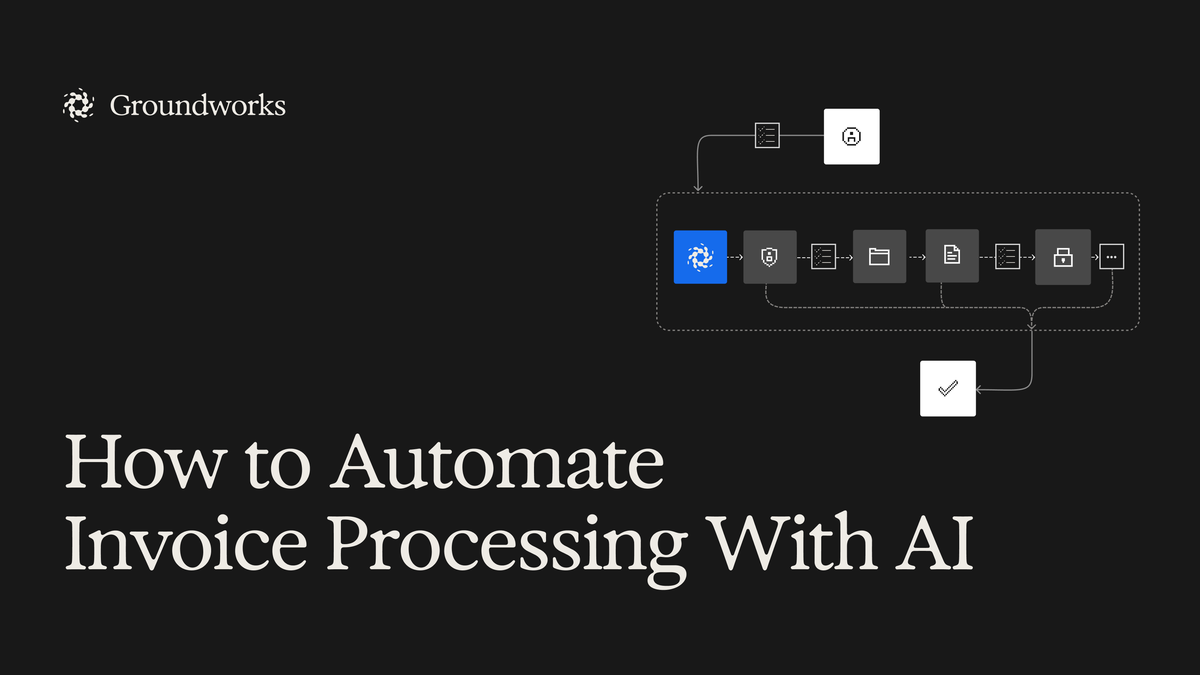
AI invoice processing is not a single tool. It is a workflow that uses several AI capabilities together:
Document Reading (OCR + AI): The system reads the invoice — whether it arrives as a PDF, a scan, a photo, or an email attachment. Modern AI goes beyond basic OCR. It understands the structure of an invoice, identifies the supplier name, invoice number, line items, amounts, VAT, and payment terms regardless of the format.
Data Extraction and Matching: The extracted data is automatically matched against your purchase orders, delivery notes, or contracts. If the invoice matches, it moves forward. If there is a discrepancy — wrong amount, missing PO reference, unexpected line item — it is flagged for human review.
Approval Routing: Based on rules you define — amount thresholds, department, supplier category — the invoice is automatically routed to the right person for approval. No more emails asking who needs to sign off on what.
Payment Scheduling: Approved invoices are queued for payment according to your cash flow preferences and supplier terms. The system can prioritise invoices with early payment discounts and flag upcoming payment deadlines.
The Tools That Work for UK Businesses
The market for AI invoice processing has matured significantly. Here are the options that work well for UK SMEs:
Xero + Hubdoc: If you are already on Xero, Hubdoc (included free) uses AI to read invoices and bills, extract the data, and push it into Xero for matching and approval. It handles most standard UK invoice formats well.
Dext (formerly Receipt Bank): Popular with UK accountants and businesses. Extracts data from invoices and receipts, categorises expenses, and integrates with Xero, QuickBooks, and Sage. Pricing starts around £15 per month.
DATEV or Lightyear: For businesses with higher volumes or more complex approval workflows. These offer more sophisticated matching, multi-level approvals, and deeper integration with ERP systems.
Microsoft Copilot + Power Automate: For businesses already in the Microsoft ecosystem, Copilot can read invoices from email, extract data, and Power Automate can handle the routing and approval workflow. Requires some initial configuration but very powerful once set up.
What the Implementation Actually Looks Like
Week 1: Audit your current process. Map exactly how invoices flow through your business today. Where do they arrive? Who touches them? What checks are performed? Where do delays happen? You cannot automate what you do not understand.
Week 2: Choose your tool and configure it. Connect it to your accounting system. Set up your approval rules. Import your supplier list and PO templates. Most tools have a setup wizard that handles the basics.
Weeks 3 to 4: Run in parallel. Process invoices through both the old system and the new one simultaneously. This catches any configuration issues and builds confidence with the team. Compare the outputs — AI-processed versus manually processed — and fix any discrepancies.
Week 5 onwards: Go live. Switch to the AI system as primary. Keep human review on exceptions — invoices the system cannot match, unusual formats, new suppliers. Over time, the exception rate drops as the system learns your patterns.
What You Can Expect
Based on businesses we have worked with:
- Processing time: Reduced by 60 to 80 percent
- Error rate: Reduced by 70 to 90 percent (fewer duplicate payments, fewer data entry mistakes)
- Approval cycle: Reduced from days to hours
- Cost per invoice: Drops from £10 to £15 down to £2 to £4
- Staff time recovered: 8 to 15 hours per week for a business processing 150 or more invoices monthly
The return on investment is typically measured in weeks, not months.
Common Concerns
What about unusual invoice formats? Modern AI handles most formats. For genuinely unusual ones, the system flags them for manual processing. Over time, these exceptions decrease.
Will my accountant be comfortable with this? Most UK accountancy practices are already recommending these tools to clients. Check with yours — they may have a preferred integration.
Is our data safe? The established tools listed above are GDPR compliant and use encrypted data transfer. Your financial data stays within controlled environments. Always check the data processing agreement before connecting any new tool.
Getting Started
Invoice processing is one of the highest-ROI starting points for AI in any business. It is a clearly defined process, the tools are mature, and the time savings are immediate and measurable.
If you want to understand where AI will deliver the biggest operational savings across your business get in touch with our team.